Share and connect
Use with Claude
Connect Claude Code or Claude Desktop to your data with a read-only token.
Connect Claude to your own training data and ask it questions in plain language. Claude can read your workouts, records, plan, training load and strength history. It cannot change anything.
Which Claude app should I use?
Pick one. Both work, and the choice depends on what is installed on the computer you are using.
Claude Code (terminal)
Best if you already use Claude Code in a terminal. You add the connection with one command. The claude program has to be installed on the same computer you run the command on.
Claude Desktop (app)
Best if you chat in the Claude app. You paste a small config block and restart the app. It needs Node.js installed so the connection can start.
1. Create a token
- 1
Sign in on the website and open Dashboard > Settings. Tokens are created on the website, not in the mobile apps.
- 2
Find AI Assistant Access, type a name you will recognize later, such as Claude Desktop, and choose Create token.
- 3
Copy it right away with the copy button next to it. It is shown once. Treat it like a password, then choose Done.
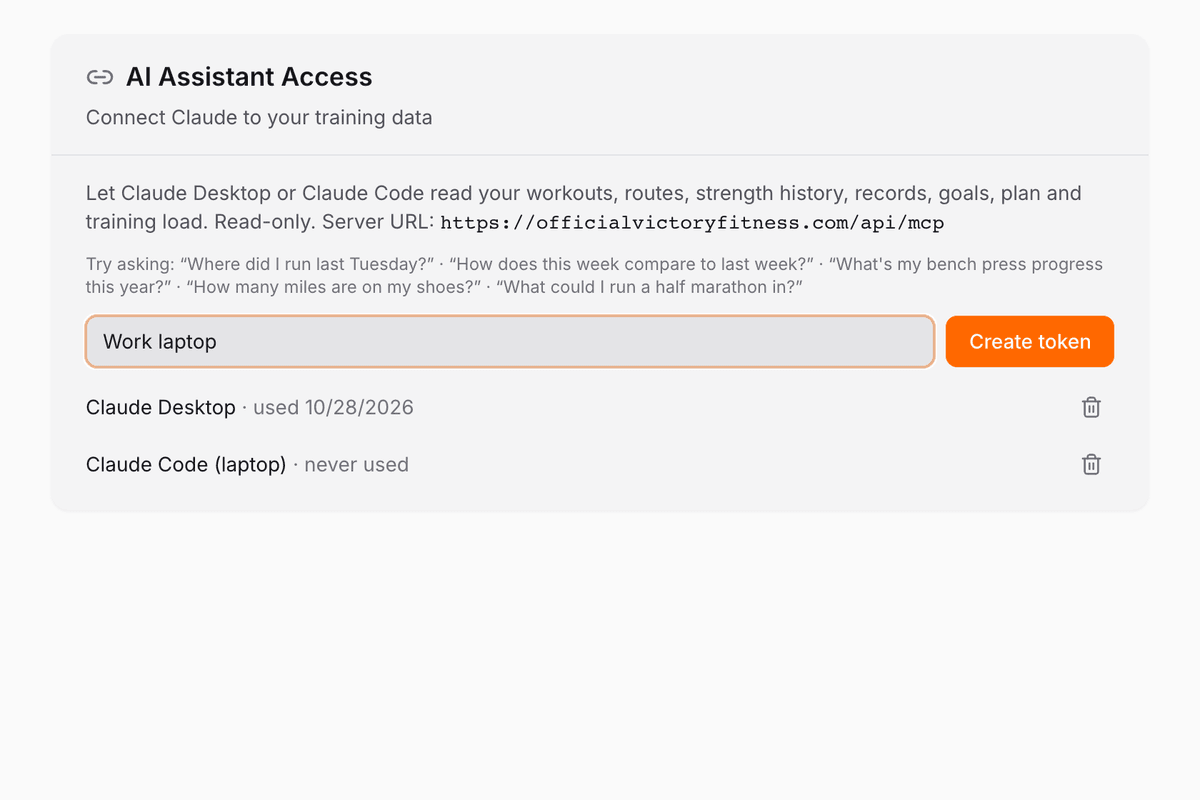
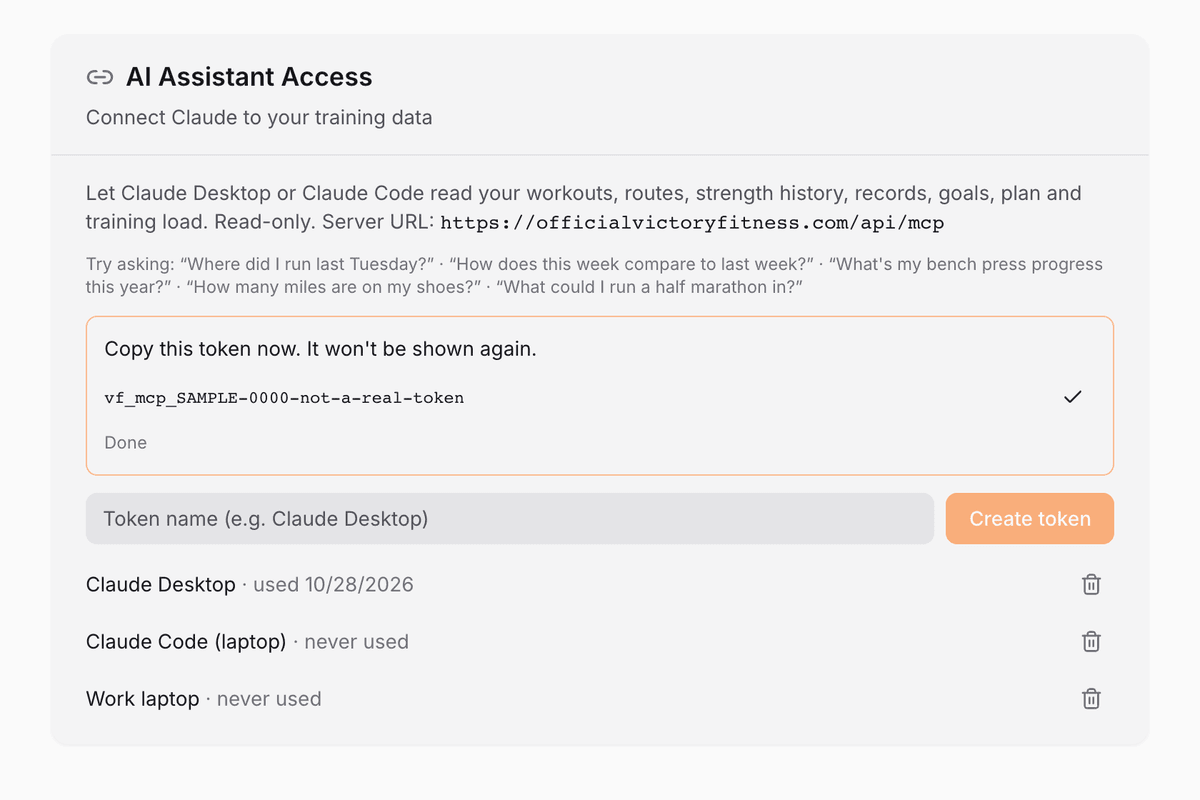
Below, <your-token> is a placeholder. Replace it, including the angle brackets, with the token you copied. It starts with vf_mcp_.
2. Connect Claude
Claude Code
Run this in a terminal on a computer where Claude Code is installed:
claude mcp add --transport http victory-fitness https://officialvictoryfitness.com/api/mcp \
  --header "Authorization: Bearer <your-token>"
Claude Desktop
- 1
Open Claude Desktop, then Settings, then Developer, then Edit Config.
- 2
Add this to
claude_desktop_config.jsonwith your token in place of the placeholder. If the file already has anmcpServersblock, add thevictory-fitnessentry inside it instead of pasting a second block. - 3
Quit and reopen Claude Desktop. Closing the window is not enough. Quit the app completely (Cmd+Q on a Mac) and start it again.
{
  "mcpServers": {
    "victory-fitness": {
      "command": "npx",
      "args": [
        "-y",
        "mcp-remote",
        "https://officialvictoryfitness.com/api/mcp",
        "--header",
        "Authorization:${VF_AUTH_HEADER}"
      ],
      "env": {
        "VF_AUTH_HEADER": "Bearer <your-token>"
      }
    }
  }
}
Putting the header in an environment variable keeps the space in “Bearer <token>” from being mangled.
3. Check that it works
Start a new chat and ask:
Claude may ask permission the first time it uses a tool. Allow it. If it answers with your real workouts, you are done.
Troubleshooting
| What you see | What to do |
|---|---|
| command not found: claude | Claude Code is not installed on the computer you are typing on. Commands run where the terminal is, so a different computer does not help. Use Claude Desktop, or install Claude Code on that machine first. |
| 401 or "unauthorized" | The token is wrong, has a typo or has been revoked. Create a new one, copy it again and replace the old one in the command or config. Make sure no extra spaces or the angle brackets came along. |
| 500 or "server error" | Something went wrong on our side. Wait a minute and try again. If it keeps happening, email us with the time it happened. |
| Tools do not show up in Claude Desktop | Quit and reopen the app completely. Then check that the config is valid JSON (no missing commas or quotes) and that Node.js is installed. Opening a new chat helps too. |
| Claude says it has no location or route data | Claude only sees a short privacy-safe route summary for workouts with a route, and nothing inside your privacy zones. Ask about the city or area instead of exact addresses. |
Revoke a token
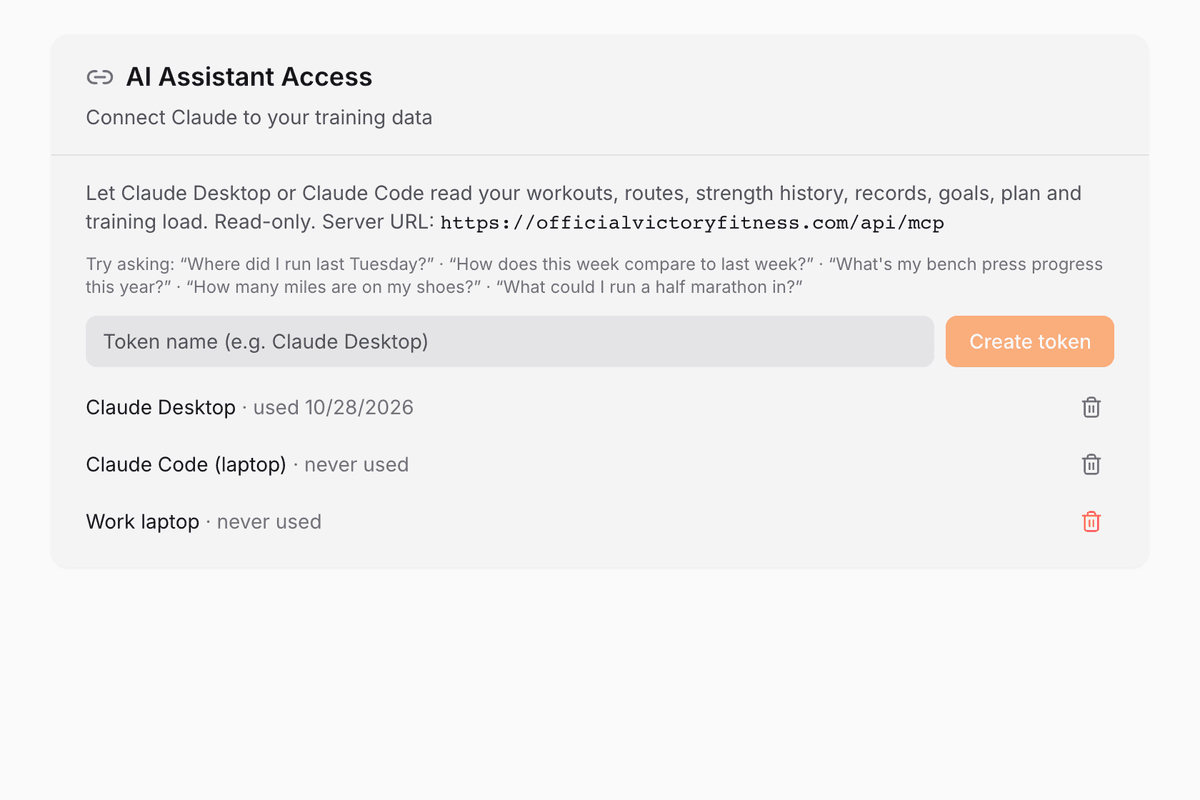
Lost a laptop, or shared a token by mistake? Go to Dashboard, Settings, AI Assistant Access and tap the trash icon next to the token. It stops working immediately. Create a new token and update your Claude config if you still want the connection. See Account and privacy for more on your data.
What Claude can read
get_recent_workoutsYour latest activities with distance, time, pace and heart rate.
get_workoutOne workout in full, including splits and a privacy-safe route summary.
search_workoutsFind workouts by type, date range, distance or place.
get_period_summaryTotals for a week, month or any date range.
compare_periodsTwo periods side by side, such as this month against last.
get_personal_recordsYour best times and distances.
get_active_planYour current training plan and what is scheduled.
get_training_loadRecent load and how it is trending.
get_training_zonesYour heart rate and pace zones.
get_race_predictionsPredicted race times from your recent training.
get_goalsYour goals and progress.
get_strength_historyWeight and rep history for a lift over time.
get_recent_strength_workoutsYour latest lifting sessions with every set.
get_shoesYour shoes and the mileage on each.
get_achievementsBadges and milestones you have earned.
get_profile_summaryA short summary of your profile and training background.
Things to ask
You do not need to name the tools. Ask in plain language and Claude picks the right ones.
Recent training
- Summarize my last five runs. What stands out?
- How many miles did I run last month compared with the month before?
- Find my longest run this year and tell me where it was.
- Where did I run most this year?
Load and recovery
- Am I ramping up too fast? Look at my training load.
- Compare this month with last month and tell me whether I should take a down week.
- What heart rate and pace zones am I training in?
Plans and goals
- What is on my plan this week, and how did last week go?
- Am I on track for my goal race?
- Based on my recent runs, what marathon time is realistic?
Strength
- Show my squat progress over the last three months.
- What did I lift in my last three sessions, set by set?
- Which lifts have I not trained in the last two weeks?
Records, gear and milestones
- What are my personal records, and which one is the oldest?
- Which of my shoes has the most miles on it?
- Which achievements am I closest to earning?
Privacy
- Read-only. There is no tool that edits, deletes or posts anything.
- Scoped to you. A token can only see the account that created it.
- Routes are summarized and respect your privacy zones. Raw GPS tracks are never returned.
- Revocable. Delete the token under AI Assistant Access and it stops working immediately. We store only a hash of it.
Not supported yet
ChatGPT is not supported yet. Its connectors need a different sign-in flow that we have not built. Claude Code and Claude Desktop work today.
Don't have the app yet?
Victory Fitness is the AI coach for running and strength. Log a few workouts and Claude has something to talk about.
Get Victory FitnessStill stuck?
Email officialvictoryfitness@gmail.com with your phone model, app version and a screenshot, and we will help. You can also read the pricing FAQ.