Start here
Account and privacy
Sign-in methods, subscription, privacy zones, exporting and deleting your data.
Sign-in methods
You can sign in with Apple, Google or an email address. Each method is tied to its own account, so pick one and keep using it. The same account works in the iPhone app, the Android app and on the website.
Subscription and promo codes
- 1
In the app open Profile and scroll to About & Account.
- 2
Choose Manage Subscription to change or cancel your plan, or Redeem a Promo Code to apply a code.
Subscriptions bought through the App Store or Google Play are managed there. Subscriptions bought on the website are managed from your account on the website. See Pricing for plans and the refund policy.
Privacy zones
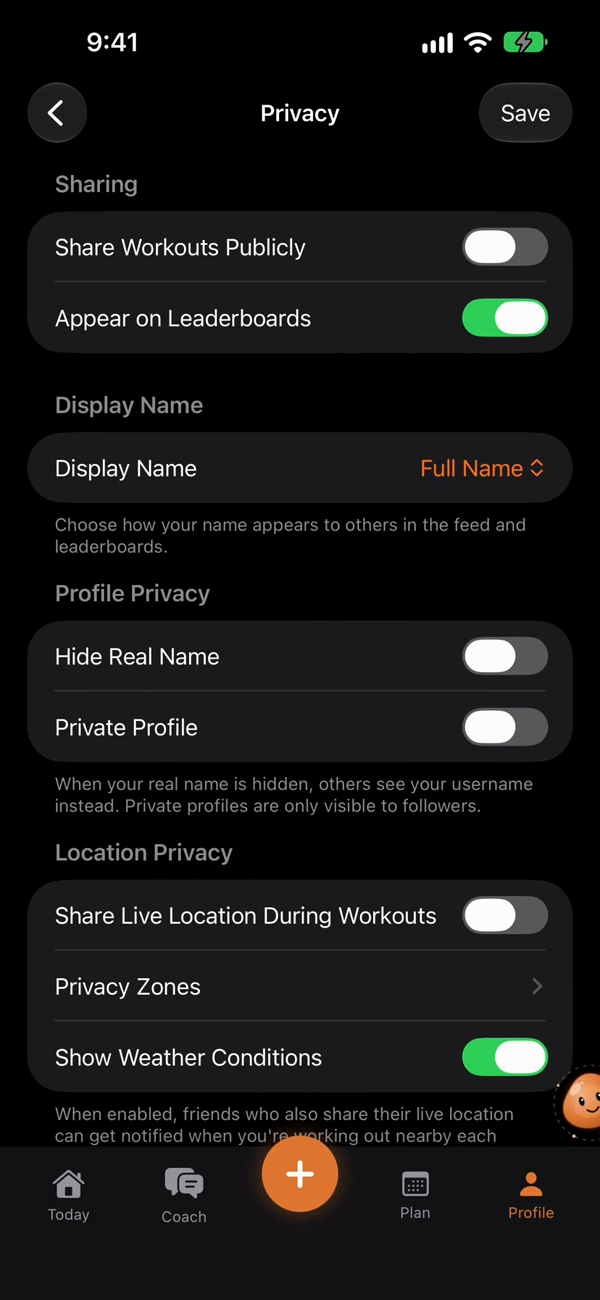
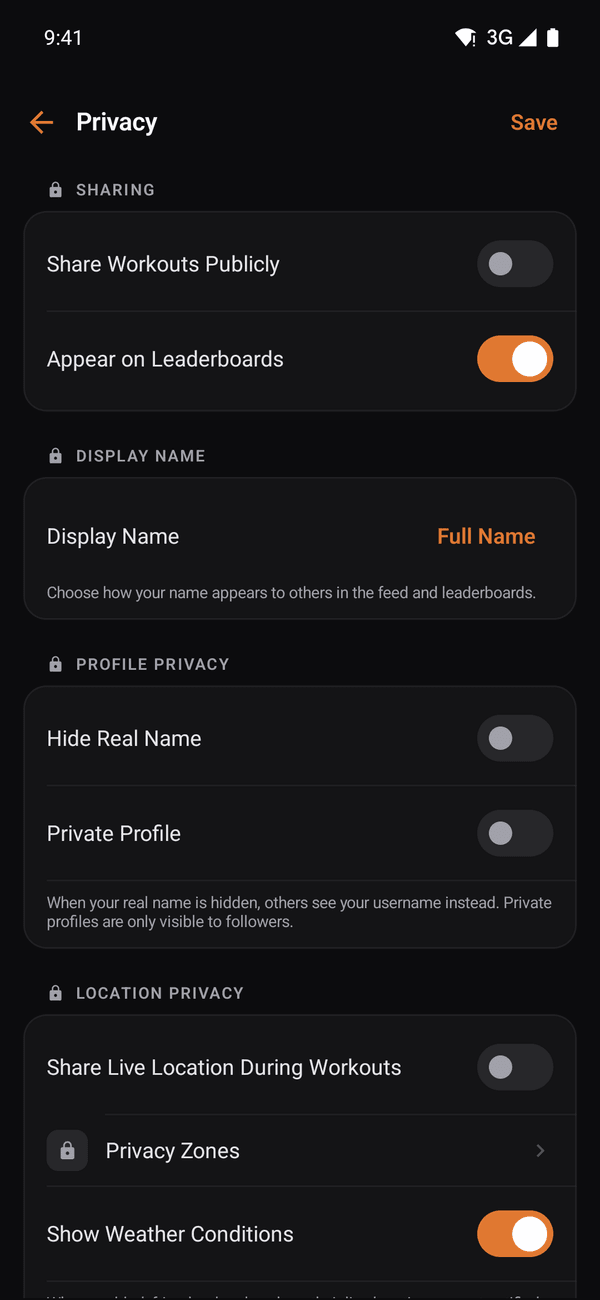
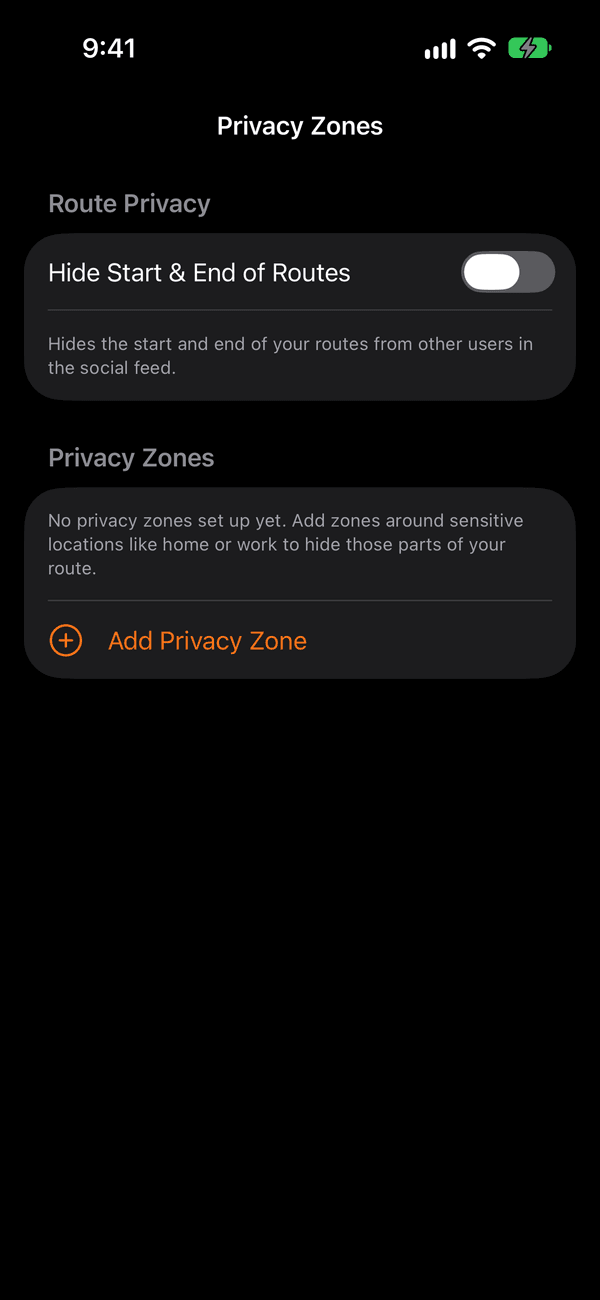
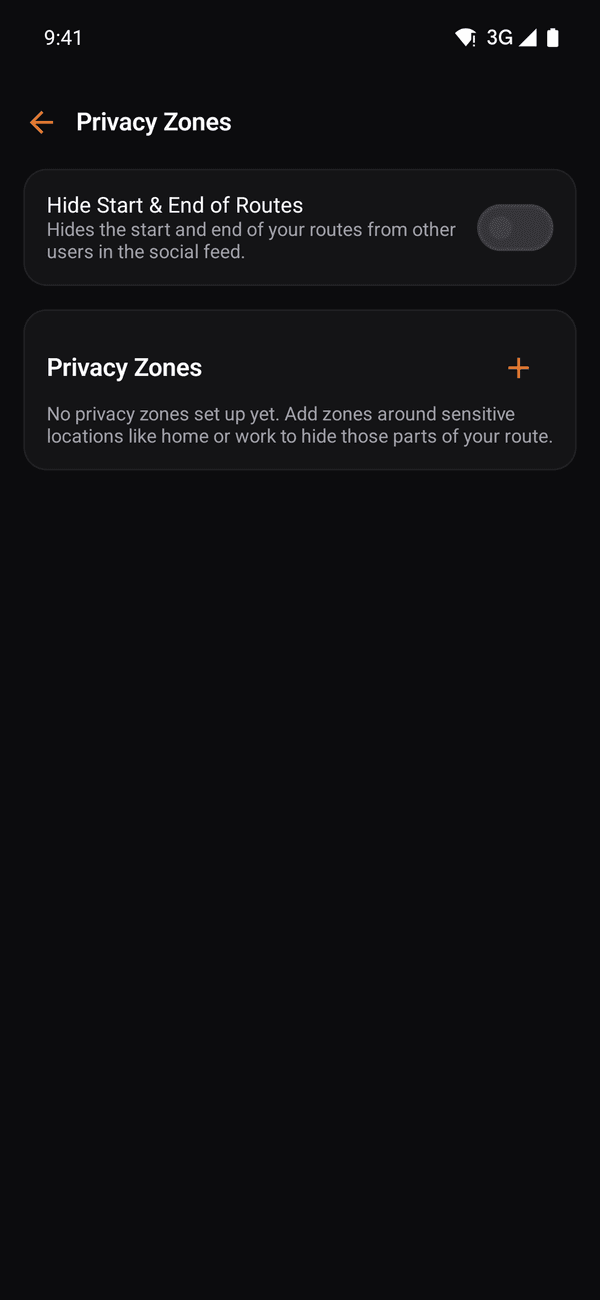
A privacy zone hides part of your route from other people in the social feed, so your home, work or gym is not shown on a map.
- 1
Go to Profile, then Settings, then Privacy.
- 2
Under Location Privacy, tap Privacy Zones.
- 3
Turn on Hide Start & End of Routes and choose a Hidden Radius.
- 4
Under Privacy Zones, tap Add Privacy Zone, give it a label such as Home, tap the map to place it and pick a radius.
Export and delete your data
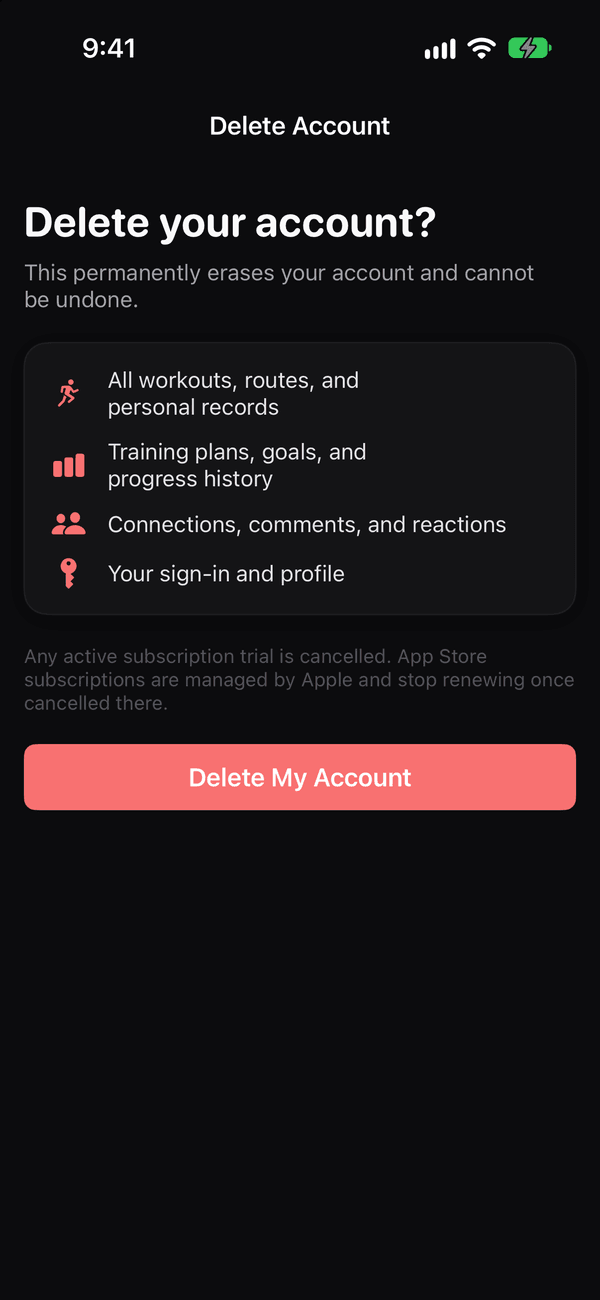
Under Privacy in Settings, Download My Data gives you a copy of your data. To remove your account, open Profile, scroll to About & Account and choose Delete Account. Deletion removes your profile, workouts, plans, coach conversations and connections, and it cannot be undone. The full details are on the delete account page.
AI assistant access
Tokens for connecting Claude are created on the website under Dashboard, Settings, AI Assistant Access. Deleting a token cuts that connection off immediately. Setup steps are in Use with Claude.
Troubleshooting
| What you see | What to do |
|---|---|
| My subscription shows as free | Make sure you are signed in with the account that bought it. Then try Manage Subscription in the app. If it still shows free, email us with the receipt. |
| A promo code is rejected | Check for typos and that the code has not expired or already been used. Codes are redeemed under About & Account. |
| I cannot find Delete Account | It is at the bottom of the About & Account section in Profile, below Settings. If the option is missing, update the app to the latest version. |
Still stuck?
Email officialvictoryfitness@gmail.com with your phone model, app version and a screenshot, and we will help. You can also read the pricing FAQ.